Steve Jobs and Apple were in the planning stages of the iPhone, the first carrier they brought the device to was America's largest network, Verizon. Even if you haven't heard how the tale ends -- Verizon refused and Jobs took his multi-billion dollar ball to AT&T -- you surely know the outcome. The iPhone has soared to become the ultimate smartphone, the must-have accessory that everyone from celebrities to your mom wants -- nay, needs -- to have in their pocket. It's changed the landscape of modern cellphones, put a serious dent in the sales of competing devices (just recently overtaking the venerable RAZR as the best-selling domestic handset), and unquestionably raised the bar when it comes to expectations for features in new handsets.
It may seem unfair to open up the review of RIM's latest BlackBerry -- the Storm -- with a history lesson on the iPhone, but if you understand the market which Verizon and RIM hope to capture, then you understand the Storm, and it helps put this critique in perspective. The Storm, a widescreen, touchscreen device boasts many of the same features as the iPhone, but adds innovations like a clickable display, and comes packed with RIM's legendary email and messaging services. Mainlined into the biggest (and some say best) network in the States, the Storm is an almost deafening blast to the competition at first glance, but does it hold up on closer inspection? Read on to find out.
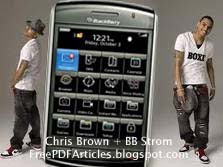
The Storm is a striking device. From the second you lay eyes on it, it's clear that a lot of time and care went into crafting this phone. The majority of the front panel is display, a large 3.25-inch (480 x 360) touchscreen sitting just shy of flush with a silver bezel that runs around the sides, top, and bottom of the device. The bands seem to be plastic, not metal, and trace the outline of the moderately thick (0.55-inch) phone, looping around the back, while the rest of the surface is a high gloss, piano black plastic. Below the screen are four familiar BlackBerry keys (phone, menu, back, and end / power), along the left is a convenience key and a micro USB port (RIM has eschewed the more common mini USB slot for the lower profile of the newer variation, though that seems to be the way the industry is headed), and on the right side is another convenience key, volume rocker, and (yay!) 3.5mm headphone jack. Around back, the battery cover is made from solid piece of brushed aluminum, and the camera and flash sit atop the plate, covered by a glossy plastic strip.
Unlike similarly stacked competitors (the iPhone and Instinct come to mind) the Storm doesn't just boast a capacitive touch display, it also utilizes a completely unique "click" technology called SurePress which actually allows you to click the screen down like a mouse button. The purpose of this technology, ostensibly, is to provide two aspects to touch screens which are currently lacking in most devices: the ability to "hover" without selecting or moving an on-screen element, and the physical sensation of "clicking" when you type or navigate.
BlackBerrys have garnered an almost mythic stature as the phone for email and messaging. One of the components of RIM's success for that model has been the inclusion of QWERTY keypads (and more recently the halved QWERTY SureType keyboards) on their phones. As any email addict will tell you, very few devices can compete. The slant from RIM's PR on the Storm is that the new clickable touchscreen delivers another high caliber typist's dream to their roster -- but that couldn't be further from the truth. Rather than the click making things easier, it actually makes them more difficult. As you press down to engage a "key," you're required to release before moving to another, which means that you can only type so quickly. In our tests, we were constantly frustrated by the staggering, laggy movement when trying to type with any speed. You have to let the click depress before you can strike another character, and that makes for a stuttery input process.
Otherwise, there are a few great implementations of the screen -- copying and pasting, which is the norm on RIM phones, is fully represented here with elegant multitouch functionality. You just grab the beginning and end of a section of text you want to snag with two fingers, and a menu pops up along the bottom for copy / paste duties. In the browser, you can hover above a link with your finger before clicking it (a big help on crowded pages), and you can double tap (not click) to zoom into pages, though there's no way to back out other than hitting the minus magnifying glass. We don't think the technology used for the screen is a dead-end by any measure, but it has a long way to go before it's honestly competing with the iPhone for virtual keyboard domination.
On the messaging and email front, very little has changed here from earlier RIM phones, save for some of that visual flair. Particularly when it comes to email, the use of screen real estate and selection of fonts seems dated when compared with the iPhone. We won't complain about the email service itself, delivery of messages was rock solid (of course), but a quick glance at the iPhone versus a quick glance at the Storm provides a strong juxtaposition of design languages. Reading email on the BlackBerry was an inconsistent experience, and highlighted the feeling that not too much trouble had been taken to freshen up this UI and format it for the bigger screen. Under the hood, we found account management simple enough, but those looking for solid Gmail integration (like, say, all the people Verizon and RIM hope to lure away from Apple's camp) will be seriously let down. There doesn't seem to be any decent alternative for getting Gmail the way you're used to, save for Google's own app (which is remarkably good save for a few issues).
One of the nice things about the Storm is that it's not just capable of doing still photos, but can shoot video as well. Results are mediocre, allowing capture up to 320 x 240, with quite a bit of heavy artifacting. Still, knowing that you can pull this out to grab something reminds us -- yet again -- that this is a necessary basic for modern cellphones.
It's clear from the device itself and the massive promotional push that both RIM and Verizon are giving the Storm that they view this as a proper threat to the iPhone's dominance in the smartphone market. Over the last few weeks we've been bombarded with commercials, leaks, press releases, and special events all celebrating the arrival of the Storm, both here and abroad. So it seems fairly obvious that yes, the companies believe they have a real contender on their hands -- and in many ways they do. The selling points are easy: the phone is gorgeous to look at and hold, it's designed and backed by RIM (now almost a household name thanks to their prevalence in the business and entertainment markets), and it's packed with features that, at first glance, make it seem not only as good as the iPhone, but better.
You Can Download BlackBerry Storm Manual User Guide Click Here
Full Article and User Guide


 , Posted in
BB 9800
,
BB Torch
,
BlackBerry
,
Manual Guide
,
Mobile Phone
,
Review
,
Smartphone
,
User Guide
, Posted in
BB 9800
,
BB Torch
,
BlackBerry
,
Manual Guide
,
Mobile Phone
,
Review
,
Smartphone
,
User Guide


